

Smart Interactive Boardroom Screen Description:
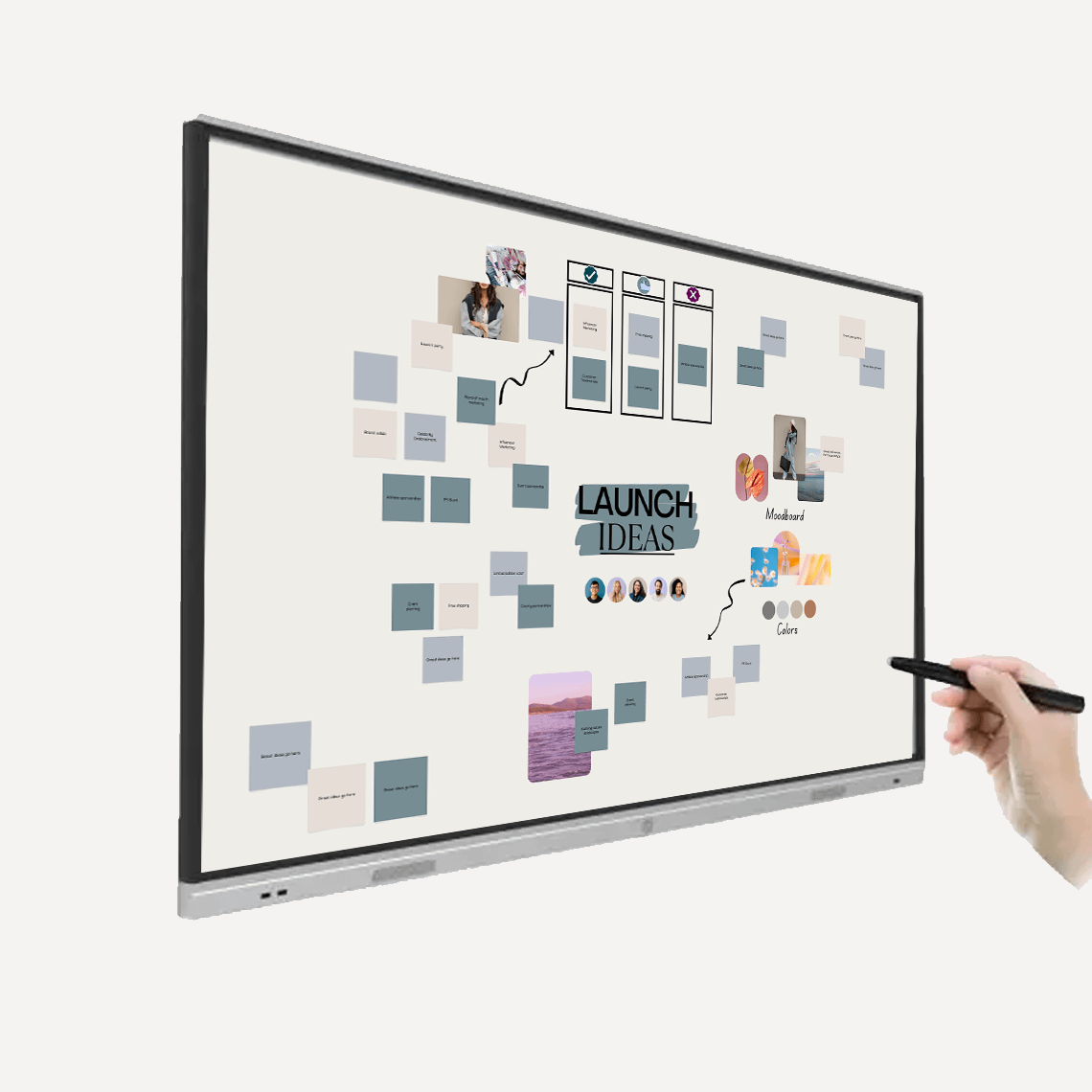
Bring clarity, collaboration and effortless functionality to your meetings with the 4K Smart Interactive Touch Display Screen. Designed for modern workspaces, this ultra-slim bezel display delivers stunning 4K resolution, intuitive 20-point touch interaction, and wireless screen sharing – making it the ideal all-in-one solution for boardrooms, classrooms and collaborative environments. With optional OPS slot-in PCs, integrated speakers, and built-in MeetingPad software, this display transforms any meeting into a dynamic, connected experience.
Available Sizes:
- 55″
- 65″
- 75″
- 86″
- 98″
Slot in PC Options:
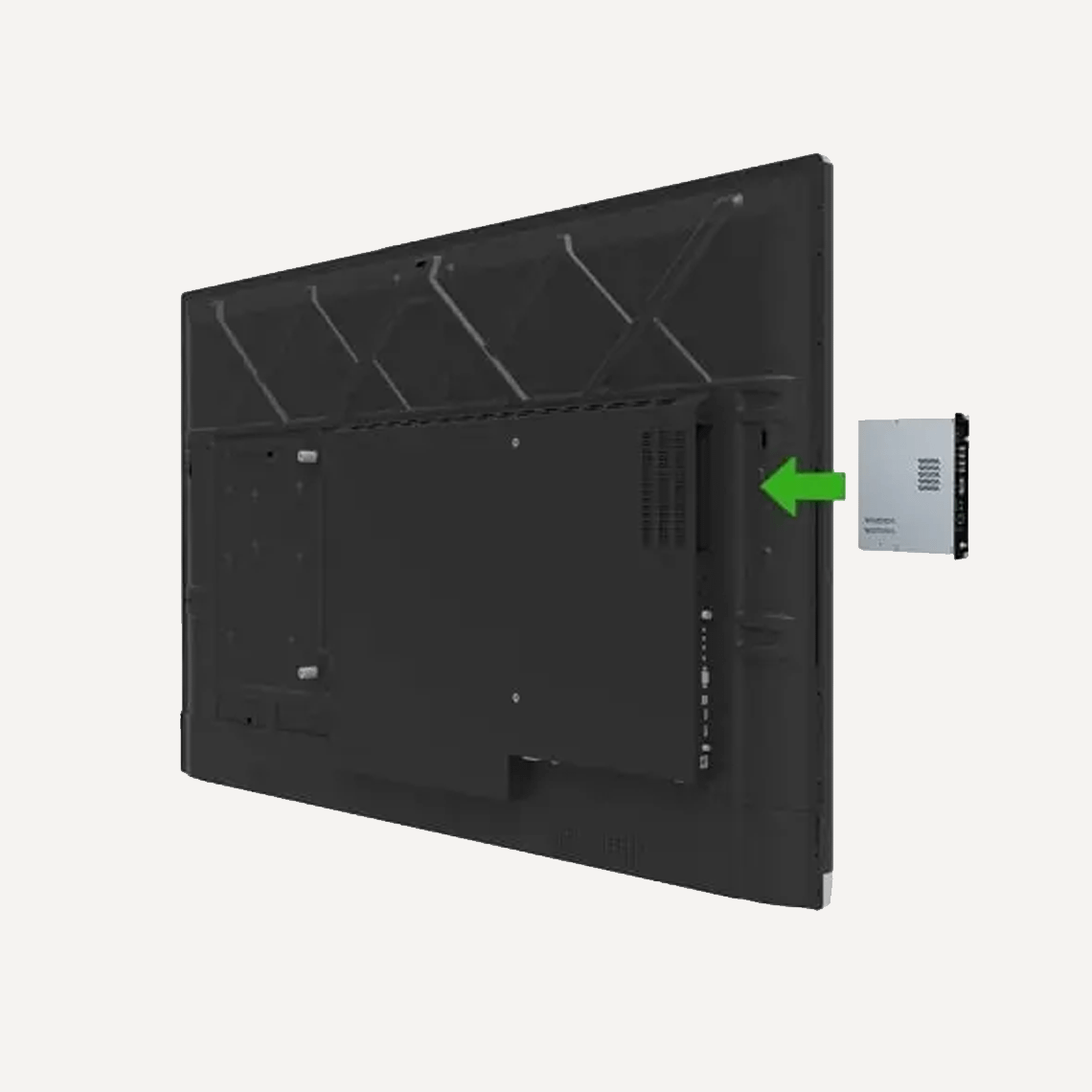
- Economical OPS Slot-in PC (Intel i5) – Enjoy the benefits of seamless integration with the Essential OPS Slot-in PC, designed to fit into the rear of your Touch Screen for the ultimate in flexible working. Powered by an Intel® Core™ i5 processor, this compact solution delivers reliable performance for demanding commercial applications and supports both Windows 10 and Windows 11. With TPM 2.0 support and 4K display capability, it brings powerful, modern slot-in computing to your display.
- Premium OPS Slot-in PC (Intel Core i5) – Enjoy the benefits of seamless integration with the Premium OPS Slot-in PC Intel® CoreTM i5 that can be easily inserted and removed from the rear of your Touch Screen for the ultimate in flexible working. This powerful compact solution is able to run Windows 7, Windows 8, Windows 10 or Linux and the Intel® Core processor powers this PC to the next class of slot-in computing.
All displays come with Lifetime Technical Support & a 3-Year Warranty. Extended warranty available upon request.
Luminati also offers Installation Services – Contact us for more information.
Smart Boardroom Display Features:
- Built-in MeetingPad Software: Display, annotate and share a wide range of file formats – including PDFs, images, videos and Microsoft Office documents, without any external devices. Notes can be shared instantly via email or QR code.
- 20-Point PCAP Touch Interaction: Supports up to 20 simultaneous touch points for fluid, real-time collaboration. Perfect for group brainstorming sessions, team edits and workshop settings.
- Wireless Mirroring & Device Control: Connect smartphones, tablets and laptops directly to the screen without cables or dongles. Mirror your display or control the screen remotely – no additional hardware required.
- No Calibration or Setup Required: Unlike traditional projector systems, this interactive display is ready to go as soon as it’s powered on – no need for alignment or manual configuration.
- Etched Anti-Glare Glass: Smooth, tactile surface improves touch accuracy while the nano-coated glass diffuses glare – ensuring clear visibility even under bright lighting.
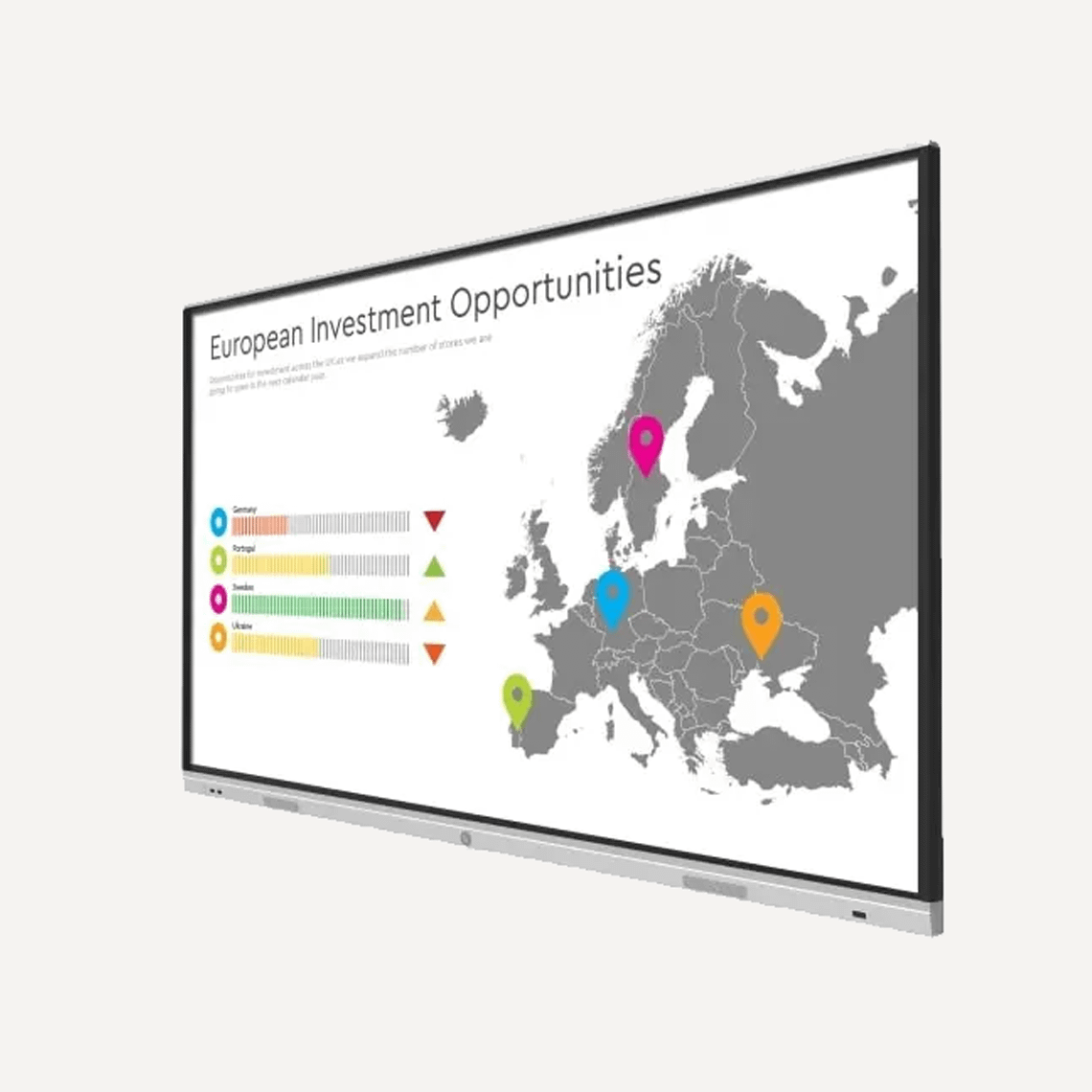
- Slim Bezel, Lightweight Frame: Crafted with precision-machined aluminium bezels and a moulded polymer rear, the screen is not only sleek and stylish but also light enough for stud wall mounting. Over 91% of the screen’s surface is active display area.
- Integrated 20W Speakers: Built-in speakers make it easy to include audio in your presentations – no external sound system required.
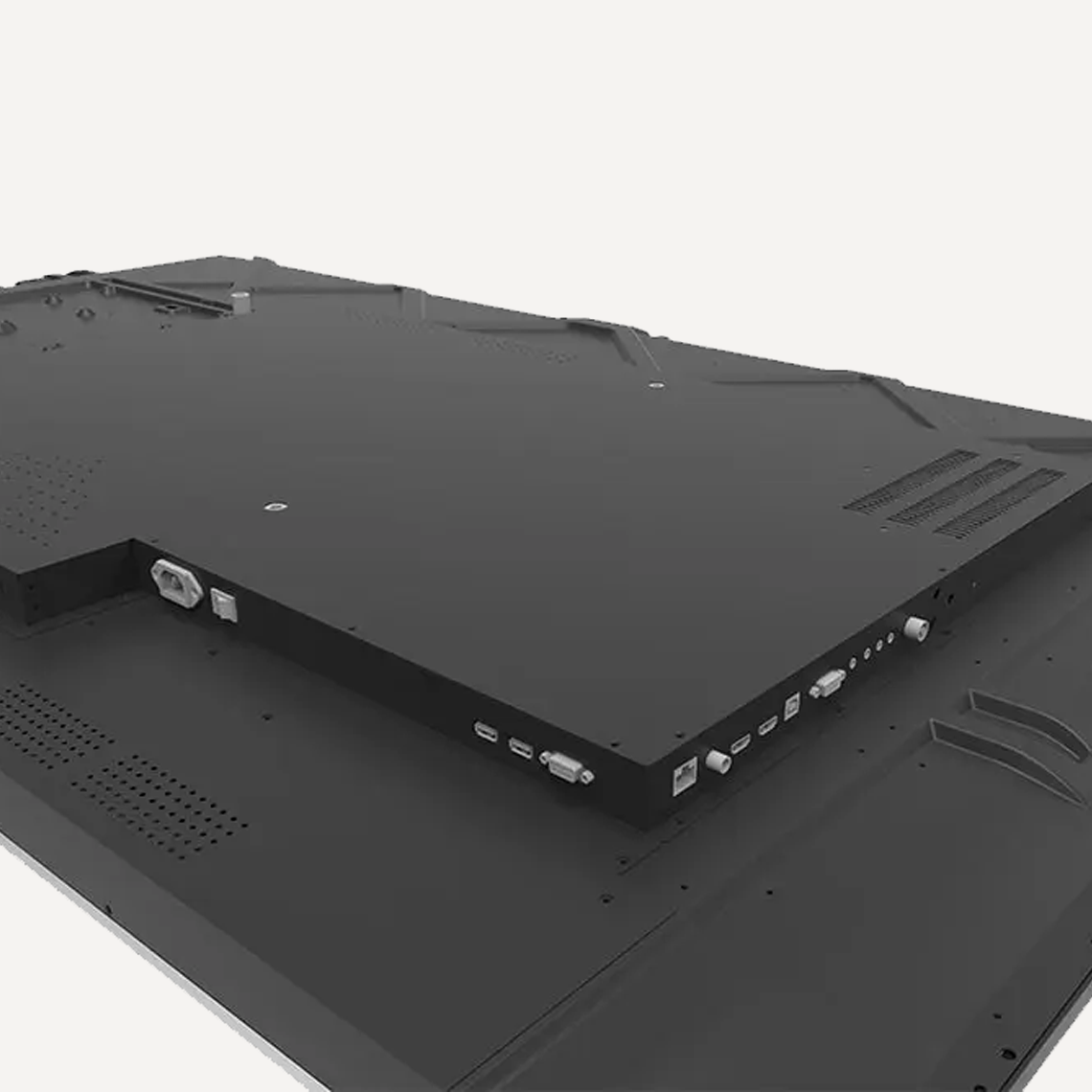
- Easy Access Ports & Controls: Two front-facing USB ports and quick-access control buttons make it simple to load content or make adjustments mid-meeting.
Benefits of Using a 4K Smart Interactive Display:
- Enhances Collaboration: Real-time annotation and 20-point touch allow multiple users to interact simultaneously – ideal for group work and idea sharing.
- Streamlines Meetings: Share content directly from devices, mirror screens and distribute notes digitally – saving time and boosting productivity.
- Improves Clarity & Communication: 4K resolution and anti-glare glass ensure everyone in the room sees content clearly, no matter where they’re seated.
- Reduces Setup Hassles: Ready to use instantly, with no calibration or alignment needed. Just power on and present.
- Saves Space: Combines whiteboard, projector, speakers and screen into one slim, integrated unit.
- Supports Flexible Installations: Compatible with Android, Windows and Apple devices, with optional integrated PCs to suit any workflow.
Frequently Asked Questions:
FAQ – What’s the difference between NEW Essential OPS Slot-in PCs (Intel i5) and Premium OPS Slot-in PCs (Intel Core i5)?
What is an OPS Slot-in PC?
An OPS (Open Pluggable Specification) slot-in PC is a compact computer designed to slide directly into a compatible digital display. It turns the screen into a fully functional computer without external cables or separate desktop units.
What is the Essential OPS Slot-in PC (Intel i5)?
The Essential OPS Slot-in PC is a cost-effective option designed for everyday digital signage and standard commercial use. It offers reliable performance for common tasks such as:
- Running digital signage content
- Basic interactive applications
- Office productivity software
- Web-based applications and media playback
This model is ideal when you need dependable performance at a lower cost.
What is the Premium OPS Slot-in PC (Intel Core i5)?
The Premium OPS Slot-in PC is a higher-performance solution designed for more demanding environments. It typically includes enhanced components for:
- Smoother multitasking
- Higher-resolution media playback
- Faster processing for complex applications
- Improved reliability for continuous or heavy-duty use
This option is recommended for advanced signage, interactive applications, or where maximum performance and longevity are important.
What are the key differences between the two?
| Feature | Essential OPS Intel i5 | Premium OPS Intel Core i5 |
|---|---|---|
| Performance | Suitable for everyday digital signage and standard apps | Optimised for more demanding or intensive applications |
| Typical Usage | Basic signage, web content, office apps | Interactive displays, advanced media, multitasking |
| Value | Budget-friendly | Higher performance and longer-term capability |
| Best For | Standard commercial installations | High-demand environments and heavy workloads |
Which OPS System should I choose?
Choose the Essential OPS if you need a dependable, budget-friendly solution for general digital signage and standard business applications.
Choose the Premium OPS if your project requires higher processing power, more demanding software, or long-term heavy usage.
Can I upgrade the OPS system later?
Yes. Because OPS modules are designed to be modular, you can replace or upgrade the slot-in PC later without replacing the entire display.
Q: How can interactive touch screens improve collaboration in meetings?
A: Interactive displays allow multiple users to annotate, share, and edit content in real-time. Teams can brainstorm, present ideas, and work together directly on the screen, making meetings more engaging, productive, and collaborative.
Q: Can a single display replace multiple meeting tools?
A: Yes. Modern interactive screens combine the functionality of a projector, whiteboard, speakers, and display into one slim unit. This simplifies your setup, saves space, and streamlines presentations without extra hardware.
Q: How do interactive screens support remote or hybrid teams?
A: Wireless mirroring and device control enable participants to share content from laptops, tablets, or smartphones. Teams can join meetings remotely, view presentations clearly, and interact with the screen in real time, keeping everyone engaged.
Q: Are interactive displays suitable for different room sizes and layouts?
A: Absolutely. Large-format screens with slim bezels and lightweight frames allow flexible installation in boardrooms, classrooms, or collaborative spaces. They provide clear visibility and touch interaction even in wide or crowded rooms.
Q: How do interactive displays save time during meetings?
A: Built-in software and plug-and-play operation mean the screen is ready to use instantly, without calibration or setup. Teams can start presentations, annotate documents, and share notes immediately, reducing delays and boosting efficiency.
Q: Can interactive screens enhance visual clarity for presentations?
A: Yes. High-resolution 4K displays with anti-glare glass ensure content is sharp and legible from any angle, helping all participants see graphics, videos, or text clearly, even under bright lighting.
Q: How can interactive screens adapt to different workflows and devices?
A: Interactive displays support Windows, Android, and Apple devices, with optional integrated PCs. Teams can connect any device wirelessly or via ports, making the screen versatile for presentations, training, or workshops.
Q: What are the long-term benefits for businesses using interactive displays?
A: Businesses benefit from enhanced collaboration, faster meetings, reduced equipment costs, and a more professional, visually engaging workspace. These screens also support flexible setups and evolving work requirements, improving productivity over time.
Q: How can interactive screens improve collaboration in meetings?
A: Interactive screens with built-in wireless mirroring let teams share laptops, tablets, and smartphones instantly, making group brainstorming, presentations, and workshops smoother and more engaging. By removing cables and extra hardware, they save time, simplify setups, and help everyone focus on the content, not the technology.
Q: How can interactive screens make sharing meeting content easier?
A: Interactive screens let teams share annotated files instantly via email or QR code, making follow-ups faster and collaboration smoother. This ensures everyone leaves meetings with the right information and reduces delays caused by manual note-taking or distributing documents.
Q: How can multiple users collaborate effectively on an interactive screen?
A: This interactive screen supports simultaneous multi-touch input, allowing teams to work together in real time. Multiple users can annotate, edit, and contribute at once, making meetings, brainstorming sessions, and workshops more engaging and productive.
Q: What operating systems are supported with the OPS PCs?
A: The slot-in PCs support Windows 7, 8, 10, 11 and Linux.